Chapter Four: Margin, Padding, and Float
Margin and padding properties allow you to shift text or images around the web page. It can be used to make other text overlap each other or to organize the web page to be more attractive. Float allows elements to not be overlap by each other.
Margin Property
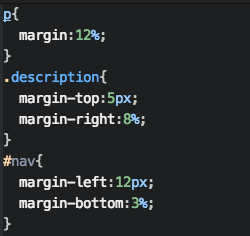
The margin property can shift texts and images away or closer to each other. There are four types of margin. Margin-top, margin-left, margin-right and margin-bottom can be all be used. The value for the margin property can be either percentage(%) or it can be # of px.
- Margin-top will shift the text or image to the bottom.
- Margin-bottom will shift the text or image to the top.
- Margin-left will shift the text or image to the right.
- Margin-right will shift the text or image to the left.
Padding Property
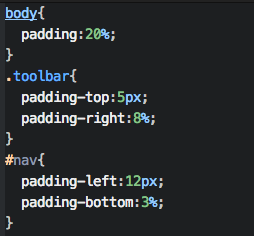
Padding creates a clear background that shift the text or image similar to margin however the padding's background color is enlarged while the margin's background color is not. Just like margin, there are padding-top, padding-bottom, padding-left, and padding-right.
Float property
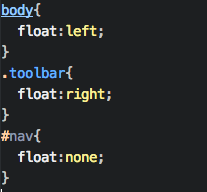
This property will specifies the element to be on top of another element. If both element have the float property, they will not stack on each other, instead they will be side by side.
Values of Float
- left(Commonly used)
- right
- none