Chapter One: The Basics
HTML (Hyper Text Markup Language) is a programming language that communicates with the web browser to display content on to the web browser. HTML is described by HTML elements to document how the web page will look like. All elements have angle brackets with an opening and closing brackets. The elements can be altered by attributes. Attributes modify how the element will be displayed on to the web page.
Saving Your HTML File
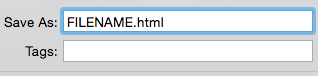
When you have finished your coding or want to see how it looks after you have inserted new codes into your HTML file, it is important to name the file’s extension .html. By doing this step, you notify the operating system that the file you are working on is a HTML file. It will then be read as a HTML file and when opened, it will open your default web browser displaying the content. To do this, click save as to prompt the save window.
Neatness Is The Proper Coding Etiquette
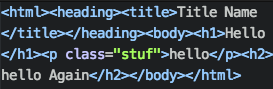
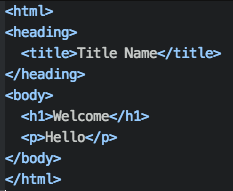
When you are coding, make sure you space out your codes. It is really important to show neatness of your coding so that is easily understood when reading. It is good code etiquette to make it presentable for other programmers to look at your code if you need help debugging issues.
In addition, if you get a job as a programmer, and five years later your boss asks you to add additional content into the website but the file is too messy for you to understand. Your boss may question if you really program the website.
Messy
Organized
Comment If You Forget
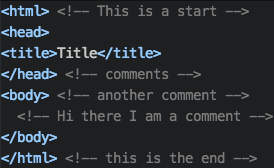
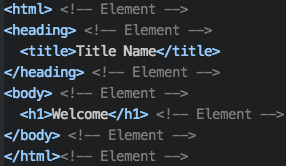
Comments will save you if you document everything you do into the program. Large website that have billions of code that cannot be easily navigated therefore comments will help navigate coders. Placing comments next to the code and describing what it does help you and future colleagues the purpose of the code. It is easy to get lost if you cannot understand what is going on.
Elements
Elements document how the web page will be displayed. For example h1 is an element that tell the browser to make a heading. Another example would be the p element. It tells the browser to make a paragraph for the user.
Attributes
Attributes modify the elements to be display differently. An example of an attribute is modifying an image to be displayed bigger or smaller by changing the width or height.